Tuesday, 18 March 2014

Session 3: Multimedia in the Classroom


Hi again.
Today’s session focused on the use of multimedia in the classroom and its professional use. Multimedia is a range or a combination of ICT that can be represented through such media as audio, video, text or animation. We started off with using a Microsoft programme called PowerPoint. I am familiar with PowerPoint (unlike blogging) as I have used it on numerous occasions but there were some features to it that I was not aware of nor had I used before. For instance, adding animations, transitions and how to add buttons were all new to me .This was all very useful to know as it makes a presentation all the more interesting. I was able to explore the tools in order to make a presentation ‘all about me’. This was fun to do as each slide revealed a little bit more about who I am.


The use of PowerPoint in schools can be of great benefit, not only for the teacher but for the children too. If the class are doing group projects pupils can use text, art, animation, audio and video elements enabling the children to construct creative presentations whilst developing their ICT skills at the same time. 

Explore the links below to see what children can create with PowerPoint:
http://www.caerphilly.org.uk/projects/ict/GPP/Activities/KS1/GiantsShow.htm


Advantages for using PowerPoint

  • Engages multiple learning styles
  • Increases interaction
  • Increases visual impact
  • Can improve the focus of the audience
  • Easy to use
  • Illustrates effective visuals and images
However, not everyone agrees that it is an effective tool. PowerPoint is not for everyone, take a look at this article on the love and hate relationship for powerpoint:

 I feel that PowerPoint is more suitable for the older children. Even though it is easy to use it can become too technical for the younger children due to the numerous amounts of tools and features it has to offer. Yet there is other multimedia software available that the younger children can explore such as Active Studio, Photostory, Storymaker and Clicker 6.

Clicker 6 is multimedia software that I was able to explore in this session too. Clicker 6 is a literacy tool that supports and enhances the learning of children of all ages and abilities. This software consists of a primary talking word processor, built in painting tools, integrated word predictor as well as half screen grids and full screen activities.

After becoming familiar with Clicker 6 I was able to make a story book which was fun to do as you could add images and the talking word processor was quite amusing. I felt that Clicker 6 would work well with children of all ages but would work particularly well with the younger ones. Children could make books or diaries using this software which is almost a starting point for children to do a presentation. This creative and engaging software is of benefit to children with SEN, EAL or disabilities too because activities are broken down into small steps, it is multisensory and can develop speaking and listening skills and language structure.

According to crick software it is ‘an award winning reading and writing software for learners of all ages and abilities’. (Cricksoft, 2013)

‘Clicker 6 gives pupils of all abilities the tools they need to independently translate their thoughts into coherent writing’.

Check out how to use clicker in the classroom:
Clicker 6; The Clicker Project:
For additional help on how to get the most out of using PowerPoint visit:


Session 2- The Interactive Whiteboard


Welcome to my first reflective blog!

The focus in Computing today was the extremely popular classroom resource, the Interactive Whiteboard (IWB). I had the opportunity to explore a variety of tools that the IWB has to offer. This session was highly informative as I have never had the chance to use an IWB with the ‘smart notebook’ software nor have I seen its capabilities. Through exploration of the software I became familiar with the tools and techniques that can be used such as adding animation, to de constructing images in order to make learning more exciting and the teaching more engaging.

Once the class became accustomed to the IWB and what it has to offer we were put into groups where we were able to create a resource to use in the primary classroom using the ‘smart notebook’ software. My group used still shots from a video clip to create an activity that got children thinking; as each still shot captured generated key questions.

Have a look:


 This was great fun! Once I became familiar with the tools it was easy to use.
The IWB is an effective resource to use in the classroom as it provides an array of opportunities. Creative use of this has many advantages for both teachers and pupils. It provides excellent multimedia resources and tools. This is of great benefit and importance for children, which sociocultural theorist Lev Vygotsky would agree, as he recognised and promoted the use of tools in the classroom to build on knowledge and understanding.
Due to the multi-sensory and visual aspects of the IWB along with the variations of formats that it provides, children of mixed abilities, SEN or EAL will highly benefit from this as the hands on learning that it provides, can strongly engage a class’s interest. Using the IWB can provide well-resourced lessons with an excellent presentation of curriculum content. What is more, its flexibility enables good time management for teachers and allows active involvement and numerous opportunities for children to learn.

Robert Marzano; a leading researcher in education believes the Interactive Whiteboard is a powerful tool with great potential but if not used thoughtfully and effectively it can interfere with a child’s learning.

Click on this link to watch Robert Marzano’s views on the Interactive Whiteboard:

Useful links on Robert Marzano:

Explore these useful websites on interactive whiteboard resources:
http://www.teachhub.com/free-interactive-whiteboard-resources    

Thanks for reading, will be back soon!

An Introduction to Computing and Technology


Want to use the internet as a way of communicating? Make sure you play it safe! This not only applies to adults, but to children too.
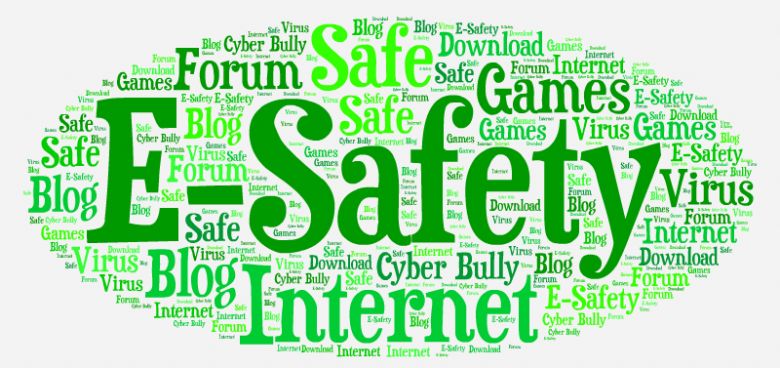
E-safety is about safeguarding children and young people in the digital world. It emphasises learning to understand and use technology in a positive way. It is less about restriction and more about communication as well as education; particularly in the classroom. It is of importance to be aware of the risks as well as the benefits in order to feel confident online.

Methods of Communication
  •  Mobile Phones
  •   E-mail
  •    Chat rooms
  •    Messenger
  •    Social Networking
  •   Online Games
When using all of the above always use a carefully selected nickname; keep personal information private. Save a copy of any unpleasant conversations as this can be useful if something or someone needs reporting. Always be aware that the people you communicate with may not be who they say they are. A large number of people are exploited via the internet daily. Do not become a victim. 

Have a look at this story of a 12 year child who fell victim to chat danger:
http://www.chatdanger.com/chat/truestory.aspx 

Be cautious of spam mail; this can be damaging to you and your device. The message may not be what you think it is.

For more information visit: http://www.chatdanger.com/email/spam.aspx

Whether at home or in the classroom make sure to inform a responsible adult such as your parent/carer or teacher.
Tips
  •    Always keep your settings private
  •      Only talk to people you know
  •       Never meet up with strangers
  •      Always keep passwords private
Staying in control is about ensuring you stay safe and know that some people use the internet to be nasty to others.

Do you know how to stay safe? Click on the link below and take a quiz on E-Safety to find out:
http://www.bbc.co.uk/newsround/14979083 

There is a lot of support for children and young people to develop safer online behaviours both in and outside of school.

For further information and advice on the best ways to stay safe on the internet visit http://www.thinkyouknow.co.uk 
Stay in Control; Safe Surfing!